Is Minecraft Bedrock Cross Platform?
Yes, Minecraft Bedrock is cross platform. See which devices can play together, what accounts you need, and why Java Edition is different.
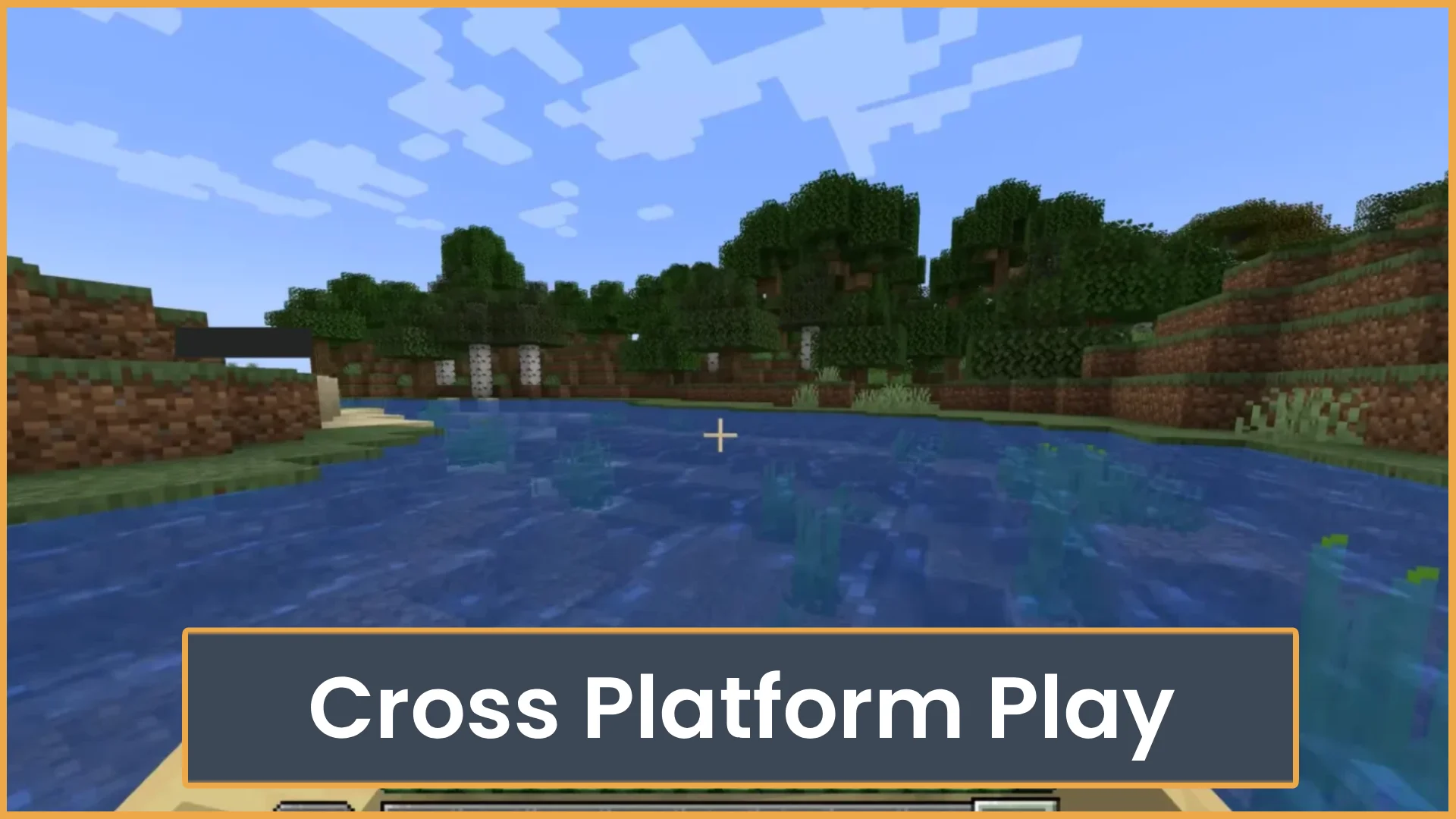
Is Minecraft Bedrock Cross Platform? Yes, it is, and this guide will show you which devices can play together, what you need, and where cross-play can get confusing.
Quick Answer:Minecraft Bedrock is cross platform across Xbox, PlayStation, Nintendo Switch, Windows, iOS, Android, and other Bedrock-supported devices. Players need a Microsoft account to add friends and join most cross-platform games. Minecraft Java Edition does not normally cross-play with Bedrock.
Is Minecraft Bedrock Cross Platform?
Cross-play matters because many Minecraft players are not on the same device. One friend may be on Xbox. Another may be on mobile. Another may be on Windows. Bedrock Edition makes it much easier for those players to join the same world or server.
Table of Contents
Quick Overview
Minecraft Bedrock Edition supports cross-platform play. This means many players can join the same world even if they use different devices.
Bedrock players can usually play together on:
- Xbox One and Xbox Series X|S
- PlayStation 4 and PlayStation 5
- Nintendo Switch
- Windows PC using Minecraft for Windows
- iPhone and iPad
- Android phones and tablets
The big rule is simple. Everyone must be playing Bedrock Edition. If one player is on Java Edition, they cannot join a normal Bedrock world.
You also need an internet connection. For most cross-play features, you need to sign in with a Microsoft account. Console players may also need their console’s online service, like Xbox Game Pass Core, PlayStation Plus, or Nintendo Switch Online.
Main Guide
Bedrock cross-play is one of the best parts of Minecraft. It lets friends build, mine, fight mobs, and join servers without needing the same device.
Still, it can be a little confusing. The name “Minecraft” is used on many platforms. But not every version works the same way.
How It Works
Minecraft has two main editions that players talk about most:
- Minecraft: Bedrock Edition: The version used for cross-platform play on consoles, mobile, and Minecraft for Windows.
- Minecraft: Java Edition: The PC version used on Windows, macOS, and Linux. It has different servers, mods, and systems.
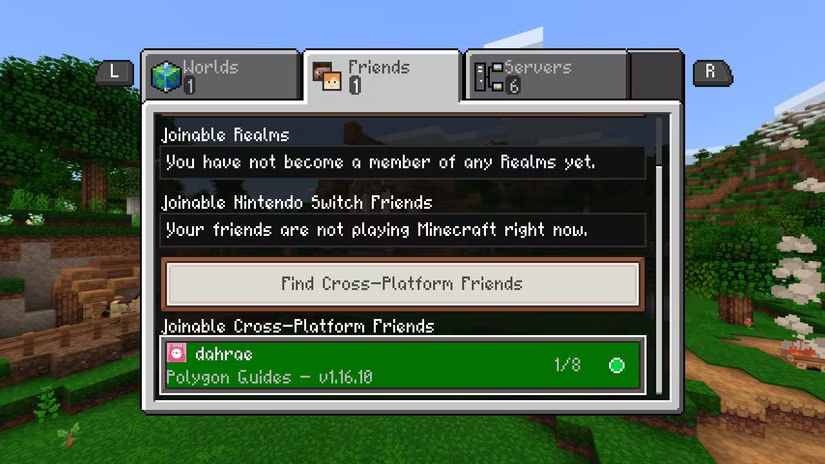
Bedrock Edition uses Microsoft account friends, Realms, featured servers, and joinable worlds. If you and your friends are on Bedrock, you can add each other and join games from the Friends tab.
Here is the basic setup:
- Open Minecraft Bedrock Edition.
- Sign in with a Microsoft account.
- Add your friend by their Xbox gamertag.
- Make sure the host world has multiplayer turned on.
- Join from the Friends tab, a Realm, or a server.
If the world does not appear, check privacy settings first. This is common on child accounts. Some accounts block online multiplayer unless a parent or account owner allows it.
Best Options
There are a few good ways to play Minecraft Bedrock with friends. The best choice depends on how often you play and how much control you want.
Friend Worlds
A friend world is the easiest option. One player opens a world and turns on multiplayer. Friends can join while the host is online.
This is best for small groups. It is simple and free. The downside is that the world closes when the host leaves.
- Best for: Casual play with friends
- Cost: No extra Minecraft cost
- Downside: Host must be online
Realms
Minecraft Realms is Mojang’s paid private server service. It stays online, even when the owner is not playing. This makes it great for groups that want one shared survival world.
Realms are easy to set up from inside the game. You do not need to manage files or server settings. But they offer less control than a custom server.
- Best for: Private survival groups
- Cost: Paid subscription
- Downside: Less control than hosting your own server
Featured Servers
Bedrock has featured servers built into the Servers tab. These are large public servers with games like SkyWars, survival, minigames, roleplay, and PvP modes.
They are easy to join. You do not need an IP address for the featured list. Just pick a server and connect.
- Best for: Minigames and public play
- Cost: Free to join, but some servers sell cosmetics or extras
- Downside: Less private, often very busy
Custom Bedrock Servers
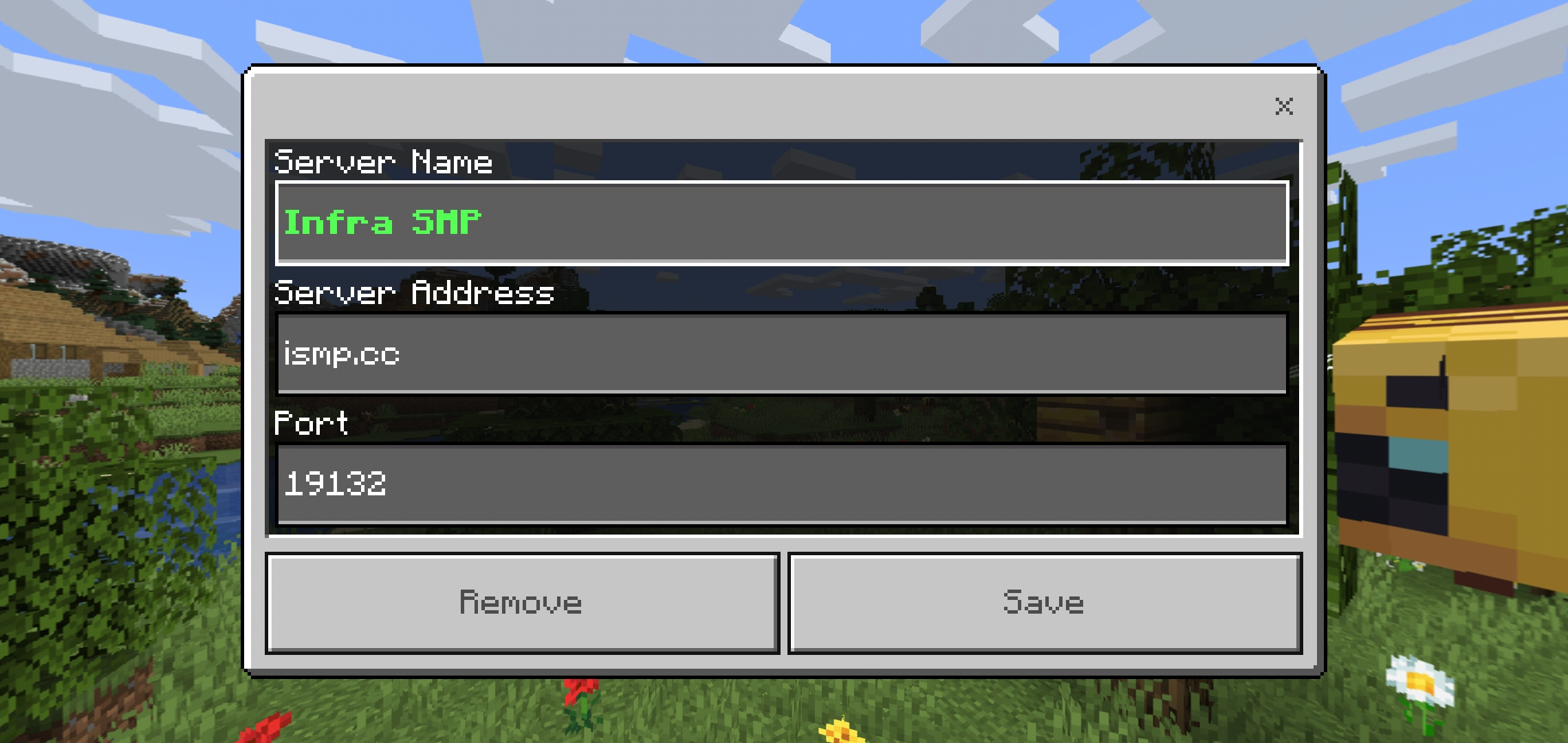
Some players use custom Bedrock servers. These can give more control over rules, plugins, worlds, and community style.
Custom servers are strong for bigger groups. They are also good if you want survival, factions, PvP, creative plots, or other modes with a real community.
On mobile and Windows, adding a custom server is simple. On some consoles, joining custom servers can be more limited. Console players often use featured servers, Realms, or network settings workarounds. These workarounds can change over time, so check current device rules before trying them.
- Best for: Public communities and custom game modes
- Cost: Depends on the server
- Downside: Console support can be limited
What to Look For
Before you try to play cross-platform, check a few things. Most connection problems come from version mismatch, account settings, or the wrong edition.
Check the Edition
Make sure everyone is on Bedrock Edition. If a friend says they play on Java, they cannot join a normal Bedrock game.
On PC, this matters a lot. “Minecraft for Windows” is Bedrock. “Minecraft: Java Edition” is not Bedrock.
Check the Game Version
All players should update Minecraft. If one player has an older version, they may not see the world or server.
This happens often after updates. Consoles and mobile devices may update at different times depending on store settings.
Check the Microsoft Account
A Microsoft account is needed for most cross-platform play. It is used for friend invites, gamertags, Realms, and online multiplayer.
If you cannot join friends, check these settings:
- Online multiplayer is allowed
- You can add friends
- You can join clubs or multiplayer games
- Child account settings are not blocking play
Check Console Online Access
Console players may need a paid online plan for multiplayer. This depends on the console and how you are playing.
- Xbox: Online console multiplayer may require Xbox Game Pass Core or another eligible plan.
- PlayStation: Online multiplayer usually requires PlayStation Plus.
- Nintendo Switch: Online multiplayer usually requires Nintendo Switch Online.
If you can play solo but not with friends, your online service may be the issue.
Check Server Rules
Public servers may have rules about names, skins, chat, mods, or behavior. Read the rules before you play.
Some servers also restart often, use custom resource packs, or block certain devices if they cause issues. If a server will not load, try accepting the resource pack or checking the server’s support page.
Tips for Players
- Use the same edition: Before planning a world, ask each friend what version they use. Bedrock can play with Bedrock. Java does not join normal Bedrock worlds.
- Add friends by gamertag: Cross-play uses Microsoft accounts. Add your friends with their Xbox gamertag, even if they play on PlayStation, Switch, mobile, or Windows.
- Keep the world simple at first: Test cross-play in a normal world before adding resource packs, add-ons, or big settings changes. This makes problems easier to spot.
- Use Realms for shared survival: If your group plays at different times, a Realm is easier than a friend-hosted world. No one has to wait for the host to log in.
- Pick servers based on device comfort: Mobile players may not enjoy fast PvP as much as keyboard and mouse players. Choose modes that fit your group.
Common Mistakes
- Mixing up Java and Bedrock: This is the biggest issue. If your friend plays Java Edition on PC, they cannot join a normal Bedrock world. PC players need Minecraft for Windows to join Bedrock cross-play.
- Forgetting privacy settings: Some Microsoft accounts block multiplayer by default. This happens a lot with child accounts. Check Xbox privacy and online safety settings if invites do not work.
- Not updating the game: If one player is behind on updates, joining may fail. Everyone should update Minecraft before trying again.
- Assuming every server works on console: Featured servers are easy on console. Custom servers may be harder to add on some console versions.
- Ignoring online subscriptions: Console players may need PlayStation Plus, Nintendo Switch Online, or Xbox online access for multiplayer. If solo works but multiplayer does not, check this first.
FAQ
Can Minecraft Bedrock play with Java?
No, not in normal Minecraft cross-play. Bedrock and Java use different systems. Some special community servers use tools that let Java and Bedrock players join the same server, but that is not the standard setup.
Can Xbox and PlayStation play Minecraft together?
Yes. Xbox and PlayStation players can play Minecraft Bedrock together. Both players need Bedrock Edition, internet access, and Microsoft account sign-in. They may also need their console’s online multiplayer service.
Can mobile players join console players?
Yes. iOS and Android players can join console players if everyone is on Bedrock Edition. Add each other with Microsoft accounts, then join from the Friends tab or use a Realm.
Is Minecraft for Windows the same as Bedrock?
Yes. Minecraft for Windows is the Bedrock version on PC. It can cross-play with Xbox, PlayStation, Switch, iOS, Android, and other Bedrock devices.
Do I need a Microsoft account for Bedrock cross-play?
Yes, for most online cross-platform features. A Microsoft account lets you add friends, use gamertags, join Realms, and play online with people on other devices.
Can Nintendo Switch join Minecraft Bedrock servers?
Nintendo Switch can join the built-in featured servers and Realms. Joining custom servers is more limited than on mobile or Windows. Always check what your device supports before planning a server night.
Why can’t I join my friend’s Bedrock world?
Check that both games are updated. Make sure both players are signed in with Microsoft accounts. Also check multiplayer settings, privacy settings, and console online access.
Final Thoughts
Minecraft Bedrock is a strong choice if your friends play on different devices. Set up your Microsoft account, update the game, and make sure everyone is using Bedrock Edition. If you want a public place to play, you can also use ServerTilt to find active Minecraft servers and compare communities before joining.
What Is Minecraft Bedrock? Series
Explore the main guide and supporting tutorials.
What Is Minecraft Bedrock?
Learn what Minecraft Bedrock is, how cross-play works, and how it compares to Java Edition. Find out if Bedrock is the right version for you.
Is Minecraft Bedrock Cross Platform?
Yes, Minecraft Bedrock is cross platform. See which devices can play together, what accounts you need, and why Java Edition is different.
Fix Bedrock Mojang
What does “Fix Bedrock Mojang” mean? Here’s why Minecraft players are spamming the phrase everywhere and how Bedrock bugs turned it into a viral meme.
How to Play Minecraft Bedrock with Friends
Learn how to play Minecraft Bedrock with friends using invites, Realms, servers, or LAN. This guide also covers cross-play, settings, and common join issues.
Minecraft Java vs Bedrock
Not sure which Minecraft edition to play? Compare Java and Bedrock for mods, servers, crossplay, performance, pricing, and player fit.
Related Articles
What Is Minecraft Bedrock?
Learn what Minecraft Bedrock is, how cross-play works, and how it compares to Java Edition. Find out if Bedrock is the right version for you.
Fix Bedrock Mojang
What does “Fix Bedrock Mojang” mean? Here’s why Minecraft players are spamming the phrase everywhere and how Bedrock bugs turned it into a viral meme.
How to Play Minecraft Bedrock with Friends
Learn how to play Minecraft Bedrock with friends using invites, Realms, servers, or LAN. This guide also covers cross-play, settings, and common join issues.
Minecraft Java vs Bedrock
Not sure which Minecraft edition to play? Compare Java and Bedrock for mods, servers, crossplay, performance, pricing, and player fit.